
IPTV vs OTT vs FAST Channels: What Viewers Should Know
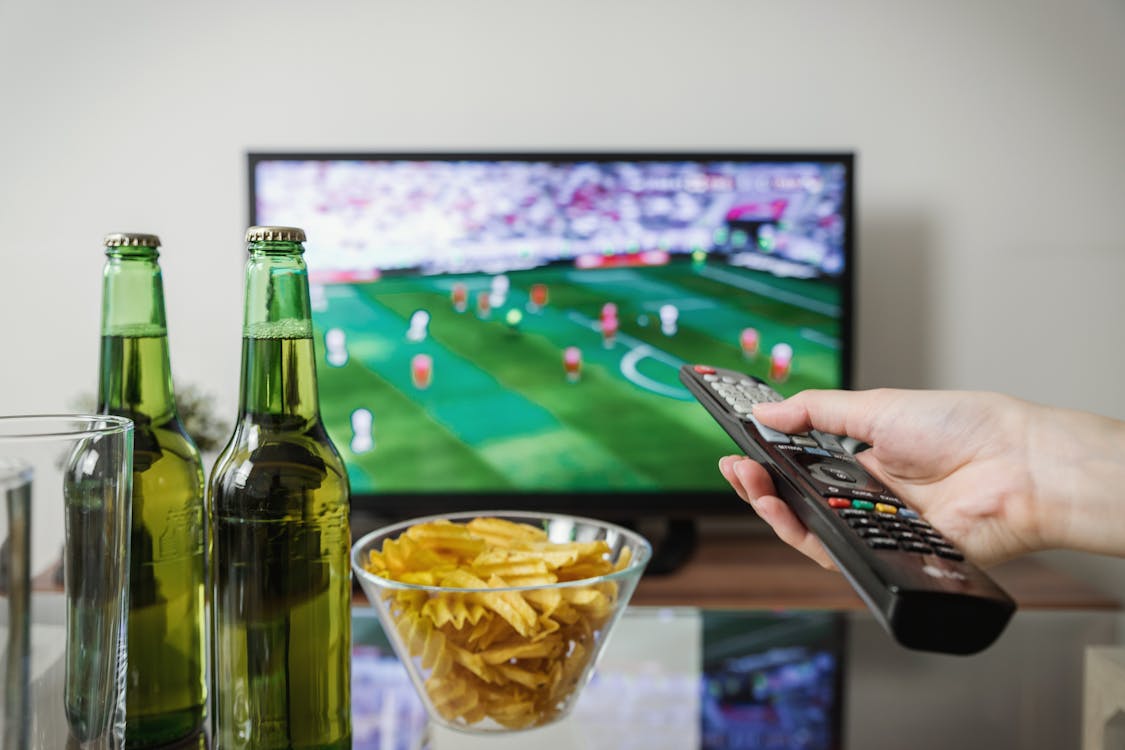
Compare IPTV, OTT apps, and FAST channels in simple terms, including live TV, VOD, ads, compatible devices, EPG, and guided setup support.
IPTV, OTT, and FAST channels all deliver video over the internet, but they serve different needs. IPTV is often chosen for live TV, VOD, EPG, and compatible player setup. OTT apps are official platform apps. FAST channels are free ad-supported scheduled streams.
This comparison explains the differences, where iFlex IPTV fits, and how to choose based on live sports, movies, series, ads, devices, and support needs.
[Image placeholder: Hero image below intro. Use iptv-vs-ott-vs-fast-channels-2026-hero.webp, 1200x630 WebP, priority loading, three abstract streaming paths, no logos or readable text.]
Quick Summary
| Option | Best for | Main tradeoff |
|---|---|---|
| IPTV | Live TV, VOD, EPG | Needs compatible setup |
| OTT | Official app catalogs | Separate app subscriptions |
| FAST | Free ad-supported viewing | Ads and limited control |
| Hybrid | Mixed households | More apps to manage |
What You Need to Compare
| Factor | Why it matters | Example question |
|---|---|---|
| Live TV | Sports and news timing | Do I need live categories? |
| VOD | Movies and series | Do I want on-demand content? |
| Device support | Setup convenience | Does it work on my TV? |
| Support | Beginner help | Can someone guide activation? |
IPTV Explained
IPTV generally refers to live TV and VOD delivered through an IPTV player or app using valid subscription details. With iFlex IPTV, viewers use compatible devices such as Smart TV, Fire Stick, Android TV, iPhone, iPad, Windows, or Mac.
The practical value is guided setup, EPG support, active device plans, and HD/FHD/4K quality where available.
OTT Explained
OTT means over-the-top streaming. It includes official apps that deliver video directly over the internet. OTT is often best when one specific official platform has the exact catalog you want.
The tradeoff is that each app has its own subscription, interface, device rules, and catalog limits.
FAST Channels Explained
FAST means free ad-supported streaming television. These channels are usually scheduled and supported by ads. They can be useful for casual viewing, but users should expect advertising and a different content model.
Best Option by User Type
| User type | Better fit | Why |
|---|---|---|
| Live sports viewer | IPTV | Live categories and EPG support |
| Single-show viewer | OTT | Official platform access |
| Casual background viewer | FAST | Free ad-supported channels |
| Family with devices | IPTV plan | Active device choices |
[Image placeholder: Decision diagram after this table. Show generic viewer paths to IPTV, OTT, and FAST with no text or logos.]
Decision Rule
Choose IPTV if live TV, sports readiness, international categories, VOD, EPG support, and setup help matter most. Choose OTT if one official app owns the content you want. Use FAST if you mainly want casual ad-supported viewing.
For iFlex IPTV, compare IPTV features, browse the IPTV channel list, and choose IPTV plans based on active device needs.
Common Mistakes to Avoid
- Treating IPTV, OTT, and FAST as identical.
- Choosing only by price without checking device support.
- Ignoring ads in FAST services.
- Expecting one OTT app to replace all live TV needs.
- Forgetting active device limits when comparing IPTV plans.
When This Advice May Not Work
Content availability, app rules, and catalogs can change. This article does not make legal claims about any third-party platform. Use official apps where required, and confirm IPTV device compatibility before activation.
## Practical Decision Examples
Example 1: A viewer wants one official show from one platform. An OTT app may be the cleanest answer for that specific content.
Example 2: A household wants live sports, news, movies, series, international categories, EPG, and setup support across devices. That is closer to IPTV search intent.
Example 3: A casual viewer wants background TV with ads and no guided setup. FAST channels can fit that lighter use case.
Decision Rules to Keep the Choice Honest
- Choose by viewing habit, not by buzzword.
- Check the real device before paying.
- Consider support if you are not comfortable with player setup.
- Compare active streams if more than one person watches.
- Use official apps where a specific platform requires them.
The strongest setup may be mixed. Some users keep official OTT apps for specific catalogs, use FAST for casual channels, and choose IPTV for live TV and sports categories.
The important point is not to force every viewer into one category. A premium IPTV subscription should solve live TV, VOD, sports, EPG, device, and support needs. It should not pretend to replace every official app for every possible catalog. That honest distinction makes the comparison more useful for real buyers.
For iFlex IPTV readers, the deciding question is usually practical: do you want a guided live TV and VOD setup on the devices you already use, or do you only need one narrow app experience? Answering that question prevents overbuying and keeps the setup aligned with real viewing habits.
If you are unsure, start with your most important viewing moment. For sports, that means live timing and EPG. For movies, that means VOD browsing. For family use, that means active streams.
That simple priority check makes the final choice clearer.
## Internal Links Used
| Destination | Anchor text | Placement |
|---|---|---|
| /features | IPTV features | Decision rule |
| /channels | IPTV channel list | Decision rule |
| /pricing | IPTV plans | Decision rule |
| /blog/choose-right-iptv-plan-1-2-3-devices | active device guide | Family context |
Reverse Internal Linking Plan
| Source page | Section placement | Anchor text |
|---|---|---|
| /blog | Comparison category | IPTV vs OTT vs FAST |
| /features | Live TV explanation | compare IPTV with OTT and FAST |
| /pricing | Buyer education | choose the right streaming option |
| /faq | General IPTV answer | IPTV, OTT, and FAST explained |
Schema Recommendation
Use BlogPosting and FAQPage schema. Do not use Product, Review, or AggregateRating schema.
Publishing Checklist
- Comparison is direct and neutral.
- No fake legal claims or platform claims are made.
- Best option by user type table is included.
- Internal links support buyer decisions.
- Limitations about app and content changes are stated.
Final Takeaway
IPTV, OTT, and FAST are not interchangeable. If your priority is live TV, sports, VOD, EPG, device compatibility, and guided setup, iFlex IPTV may fit your viewing style. If you only need one official catalog or free ad-supported streams, OTT or FAST may also belong in your setup.
Recommended Images & Media Plan
iptv-vs-ott-vs-fast-channels-2026-hero.webp
- Placement
- Below the opening answer
- Purpose
- Premium hero visual that matches the article topic
- Aspect ratio
- 1200x630
- Loading
- priority
- Alt text
- IPTV OTT FAST comparison for iFlex IPTV setup
- Caption
- A stable IPTV setup starts with the real device, app, and internet connection.
- Image type
- AI-generated WebP hero
- File size target
- Under 150 KB
Cinematic dark premium streaming setup for IPTV OTT FAST comparison, modern TV and devices, subtle sports-night energy, no readable text, no real brand logos, no channel logos, no sports league logos, no copyrighted characters, no real movie posters, no recognizable scenes, no identifiable faces, no piracy cues, generic placeholder UI only
iptv-vs-ott-vs-fast-channels-2026-flow-diagram.webp
- Placement
- After the main explanation section
- Purpose
- Explain setup, diagnosis, or decision flow
- Aspect ratio
- 1200x675
- Loading
- lazy
- Alt text
- IPTV OTT FAST comparison process diagram
- Caption
- Use the flow from device to app to network before changing plans or hardware.
- Image type
- AI-generated educational diagram
- File size target
- Under 200 KB
Clean technical diagram showing IPTV OTT FAST comparison flow with abstract icons and no readable labels, no readable text, no real brand logos, no channel logos, no sports league logos, no copyrighted characters, no real movie posters, no recognizable scenes, no identifiable faces, no piracy cues, generic placeholder UI only
iptv-vs-ott-vs-fast-channels-2026-screenshot-placeholder.webp
- Placement
- Inside the practical steps section
- Purpose
- Show where a real screenshot should be captured during setup or troubleshooting
- Aspect ratio
- 1200x675
- Loading
- lazy
- Alt text
- IPTV OTT FAST comparison screenshot placeholder
- Caption
- Use only real screenshots from your own app/device, never fake app screens.
- Image type
- Screenshot placeholder instruction
- File size target
- Under 200 KB
Use a clean generic comparison visual only. Do not use logos from any streaming platform or channels.
iptv-vs-ott-vs-fast-channels-2026-checklist.webp
- Placement
- Before the support or final takeaway section
- Purpose
- Summarize the actions a user should complete
- Aspect ratio
- 1200x675
- Loading
- lazy
- Alt text
- IPTV OTT FAST comparison checklist visual
- Caption
- A short checklist helps prevent setup issues before live sports or long viewing sessions.
- Image type
- AI-generated checklist graphic
- File size target
- Under 200 KB
Premium dark checklist-style visual for IPTV OTT FAST comparison, abstract check marks only, no readable words, no readable text, no real brand logos, no channel logos, no sports league logos, no copyrighted characters, no real movie posters, no recognizable scenes, no identifiable faces, no piracy cues, generic placeholder UI only
FAQs
Is IPTV the same as OTT?
No. OTT is a broad internet streaming category, while IPTV usually refers to live TV and VOD through IPTV players.
What are FAST channels?
FAST channels are free ad-supported streaming TV channels that usually run scheduled programming.
Which is best for live sports?
IPTV may fit live sports users who need live categories, EPG support, device setup, and active device plans.
Are OTT apps still useful?
Yes. Use official OTT apps when a specific platform has the content you need.
Does IPTV include VOD?
Many IPTV subscriptions include VOD categories. iFlex IPTV includes live TV, movies, series, and VOD options.
What should I compare before choosing?
Compare live TV needs, device compatibility, support, ads, active streams, and internet stability.
Need help with this setup?
Message iFlex IPTV support with your device, app, internet speed, and the article topic you are following.
Message Support